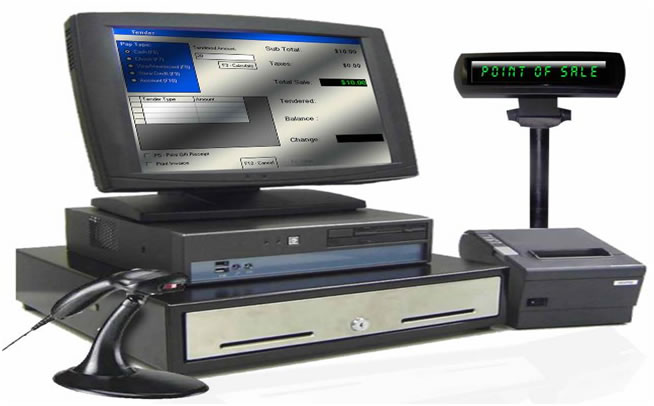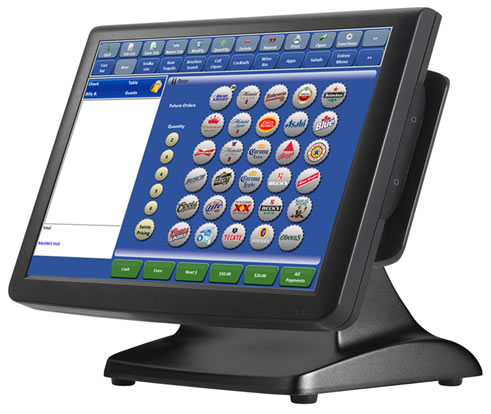
KOT system With Apple IPOD as hand held device
KOT – Kitchen Order Ticket
KOT is a written document which is given to the kitchen in exchange of any dish or any item picked up from the kitchen.
BOT is a written document similar to the KOT which is given to the bar in exchange of any beverages from the bar.
Importance:
1. Establishes appropriate co-ordination between the kitchen & service personnel.
2. Helps to avoid chaos or confusion at the food pick up counter.
3. It establishes accountability.
4. Facilitates proper control system.
5. Helps to raise a bill for settlement
6. A post analyses will give an exact idea about the high selling and non-selling dishes on a menu card.
Format of a KOT
Table No: ___________ Sr.No:__________________
Pax: ___________ Waiter’s name:___________
Date :____________ Time: __________________
Kitchen Display System
• Saves time in taking orders and sending KOT to kitchen through paper KOT, paper KOT is difficult to manage for accounting purpose.
• Instant real time KOT update in kitchen display.
• KOT display software re-orders all the similar dishes and initiates the kitchen staff to prepare food in one shot.
• Paper less environment, no paper required for KOT which minimizes fixed monthly expenses.
• Kitchen supervisor can monitor separately main orders and running orders to get 1st order in time. Running orders will be blue blinking
APPLE I – POD Palm Ordering System
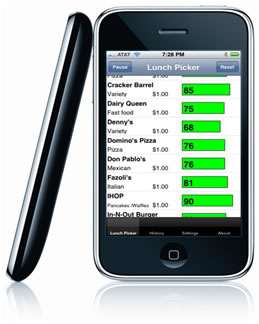 • Taking order by apple I- pod will minimize and saves time.
• Real time notification in the kitchen display.
• Hassle free operation compared to paper KOT bills which is not easy to manage during peak hours.
Paper less environment.
• Waiters will be intimated about the status of the food from the kitchen.
• Table swapping function.
Inventory Management System
• Purchase order printing from the stock in and out.
• Indent order preparation from kitchen.
• Stock out from store to independent department.
• Return stock from independent departments.
• Low stock indication system, which indicated stock low levels and prepares purchase order to vendor.
• Vendor list can be maintained and po can be managed as per cash or credit basis.
• Stock value
• Stock return value
Payroll & Administration
• Payroll facility for the staff, payroll can be managed and receipts can be issued.
• Staff details and their personnel accounts can be managed.
• Staff attendance can be managed.
Management Monitoring Portal
• All the activities can be monitored by the management in the MMP portal online; from the stores to restaurant billing can be monitored in real time.
• Bill details and all type of cancelation details can be monitored.
• Kitchen details like order time serving time, table occupancy status, employee details and attendance can be viewed on the management portal.